

Intake — Request capture, triage, and work assignment
Organize legal requests and prepare each work assignment according to your organization's policies.
Looplex Intake is the tool for receiving requests, organizing triage, and routing work to the people responsible for carrying it out. It connects an incoming request or a selected action to work preparation, prioritization, and the allocation of responsibilities.
Routing and assignment policies are defined in legal playbooks and applied through configured workflows. Work may be carried out by the team, by Looplex Assistant, or through collaboration between them.
Receiving and organizing requests
A request may begin with an internal submission, a client request, a court communication, or information received through an integration.
It may also originate with a lawyer who identifies an action in the calendar or matter record, or arise during ongoing work when a completed activity or new information calls for another handoff.
Intake organizes these inputs with the information needed for triage: source, subject, documents, context, and expected outcome. Forms and structured requests help gather the information required for each type of work.
Routing takes into account the connection to the relevant matter or project. When a new matter needs to be opened, that step can form part of the configured workflow, with the applicable data and validation.
Receiving information and initiating work are separate steps. A document may simply supplement a matter’s context; an incomplete request may require clarification; a request may generate one or several work items. Triage helps determine the appropriate treatment before work is routed for execution.
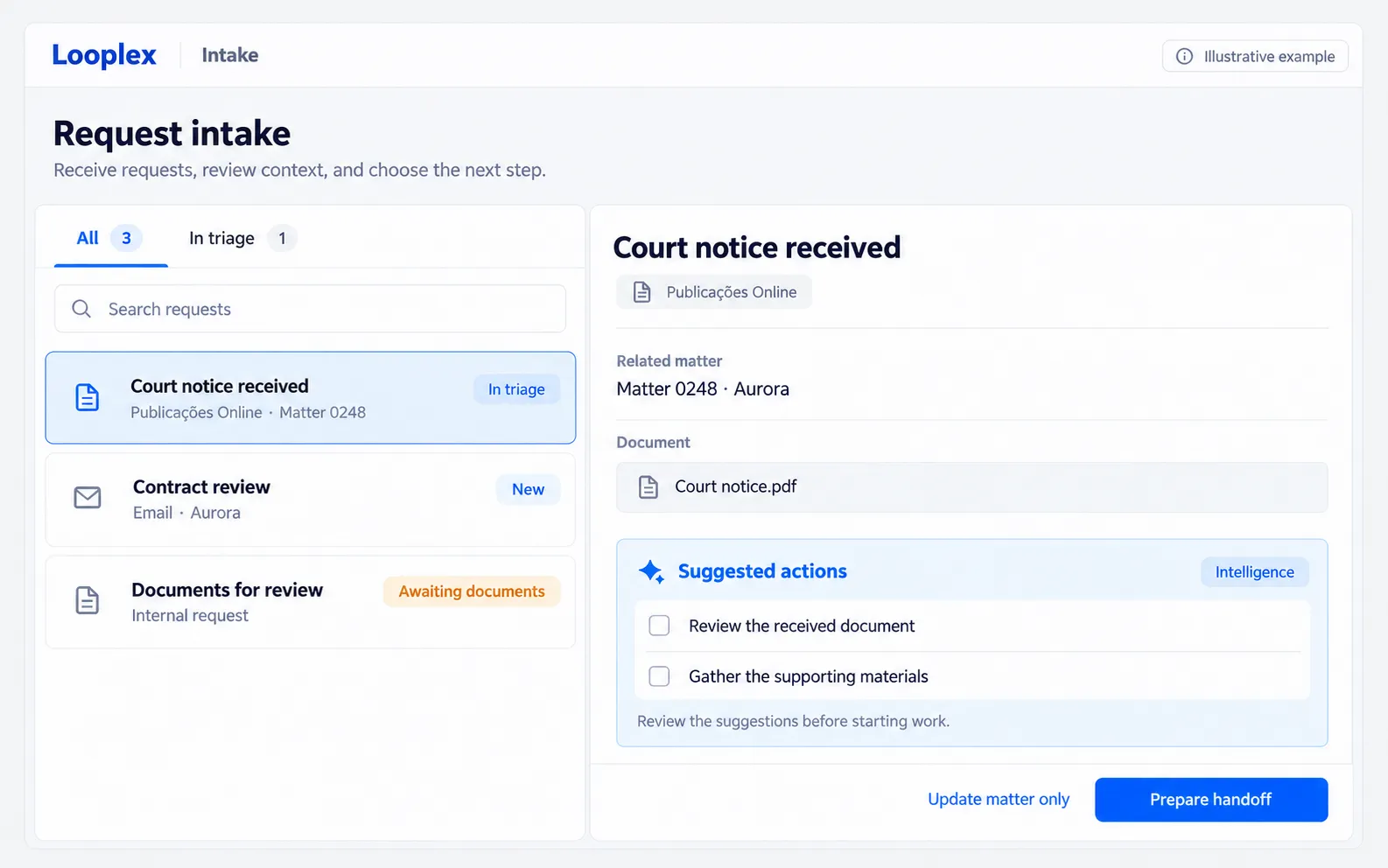
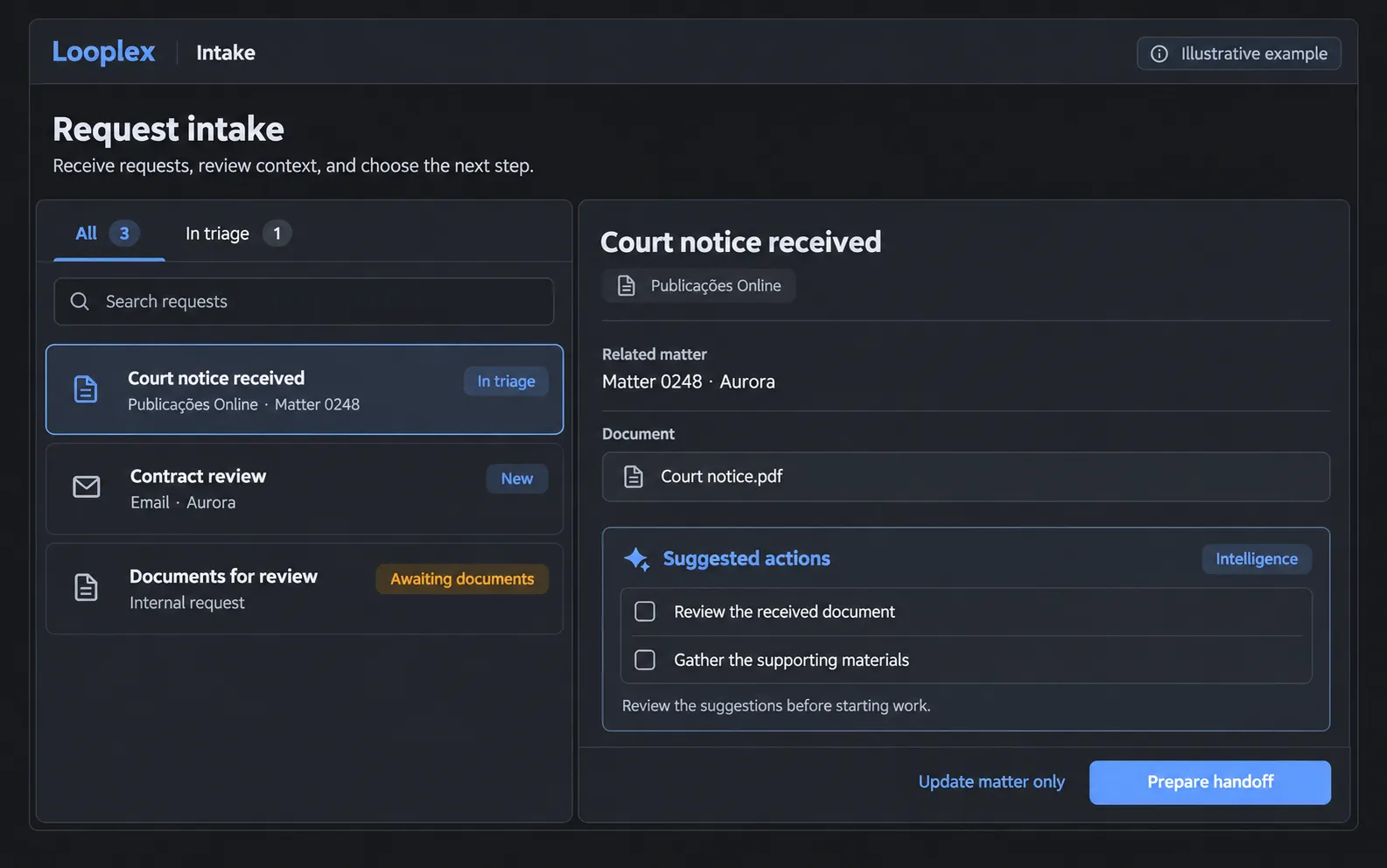
Illustrative triage example: the incoming item is connected to the matter and to actions suggested by Intelligence before handoff. Fictional data.
Defining the work and routing
Routing identifies the appropriate path for a request: which work should be handed off, what information it requires, and which workflow can be used.
The action may be selected through professional assessment, a configured rule, or a recommendation from Intelligence. Intelligence supports the assessment of what needs to be done; Intake organizes the handoff of the selected action.
Rules may consider the client, practice area, nature of the request, and other criteria defined by the organization.
When Assistant is involved, the specialty identifies the type of work it can perform, such as contract review, defense preparation, or drafting a legal opinion. Routing depends on a corresponding execution workflow being enabled and on the information needed to initiate it.
An action can also be recorded as a team task, even when Assistant does not have a workflow prepared for it. In this case, Intake can help describe the work and populate assignment fields in the calendar or connected system, depending on the available integration.
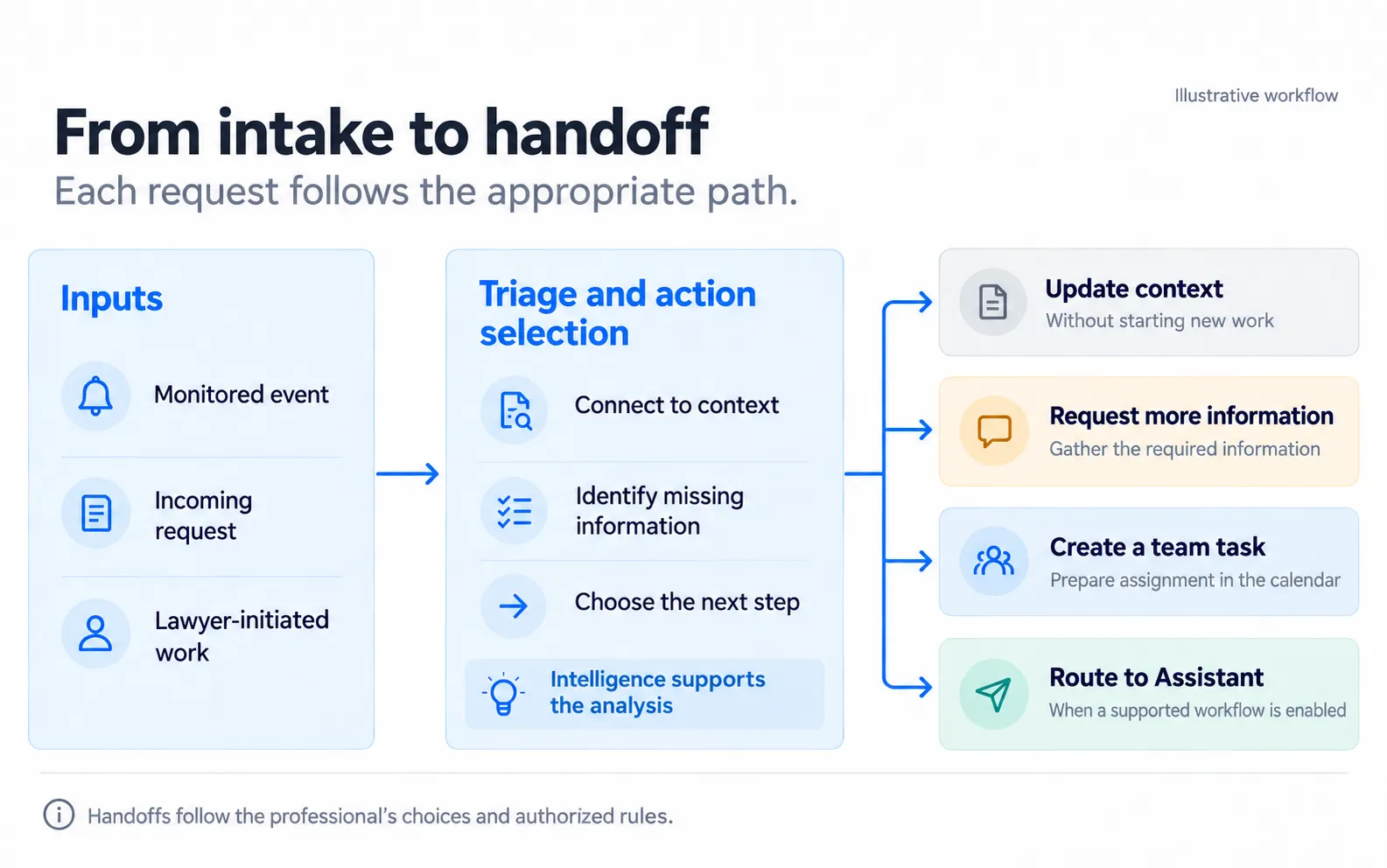
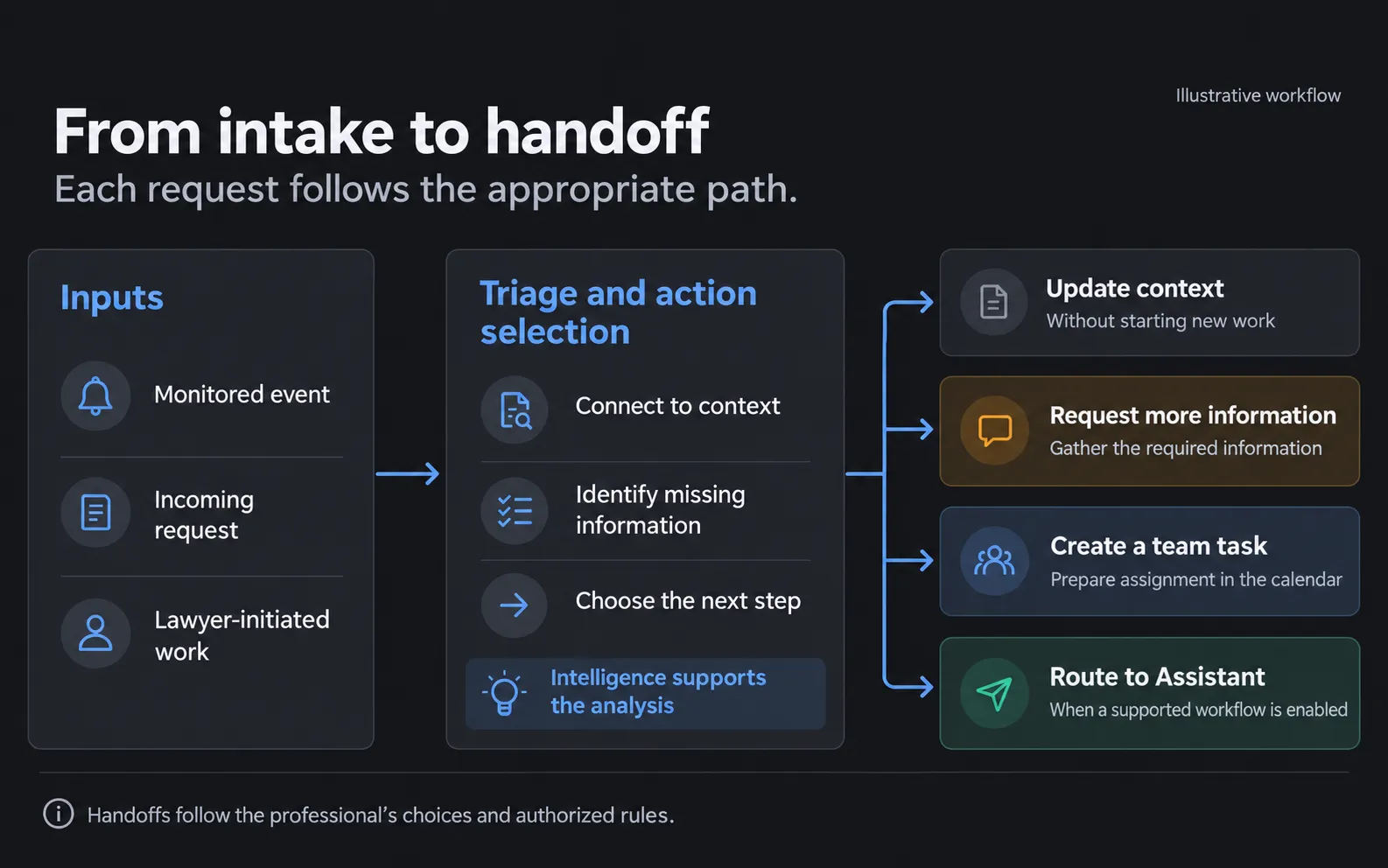
An incoming item may update context, require more information, or generate work for the team and, when applicable, for Assistant. Outcomes can be combined according to the request.
Assignment and responsibilities
Once the required work has been identified, assignment determines who is accountable for its delivery, who will carry it out, and which reviews or approvals are required.
Assignments follow the rules configured for the operation. Criteria may include expertise, the portfolio served, practice area, and responsibilities established by the organization.
Routing may, for example, identify the team responsible for a particular client or the professional handling the matter. This responsibility-based routing can be defined without checking each team member’s individual availability.
Where enabled, additional Intelligence capabilities can support assignee recommendations. The proposal may be presented for confirmation or applied under previously authorized rules.
Suggesting an assignee, populating a proposed task, and finalizing an assignment are separate steps. The workflow determines which information needs to be checked and when the handoff can be completed.
When work is delegated to Assistant, the human responsibilities defined for the operation remain in place. The handoff should identify who monitors the outcome, who can answer questions, and who carries out the required reviews or approvals.
Capacity-based assignment
Workload balancing adds a capacity assessment to responsibility-based routing.
When more than one person can carry out the work, capacity-based assignment considers availability during the relevant period, the estimated effort for the new activity, existing commitments, and applicable deadlines to recommend an allocation.
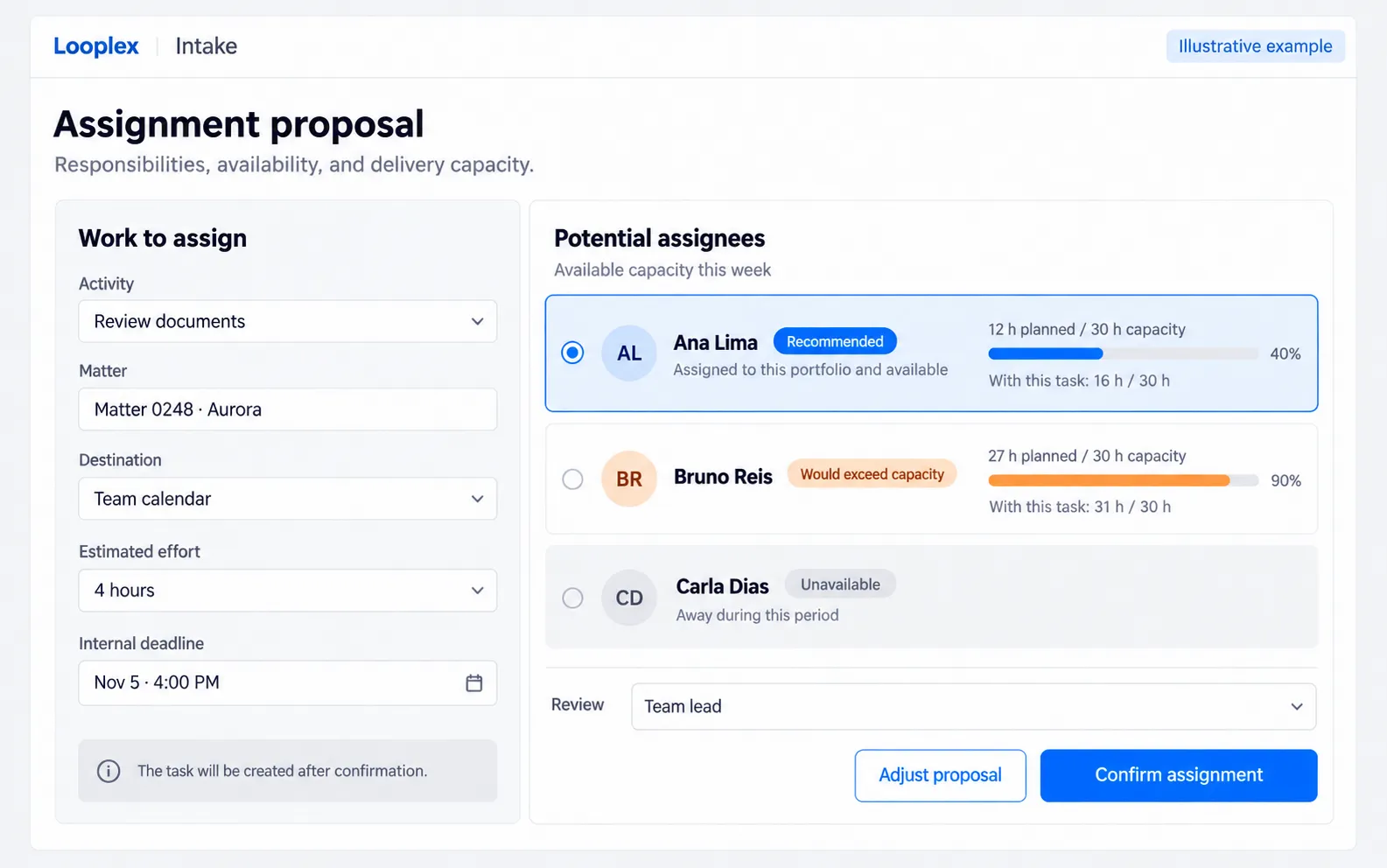
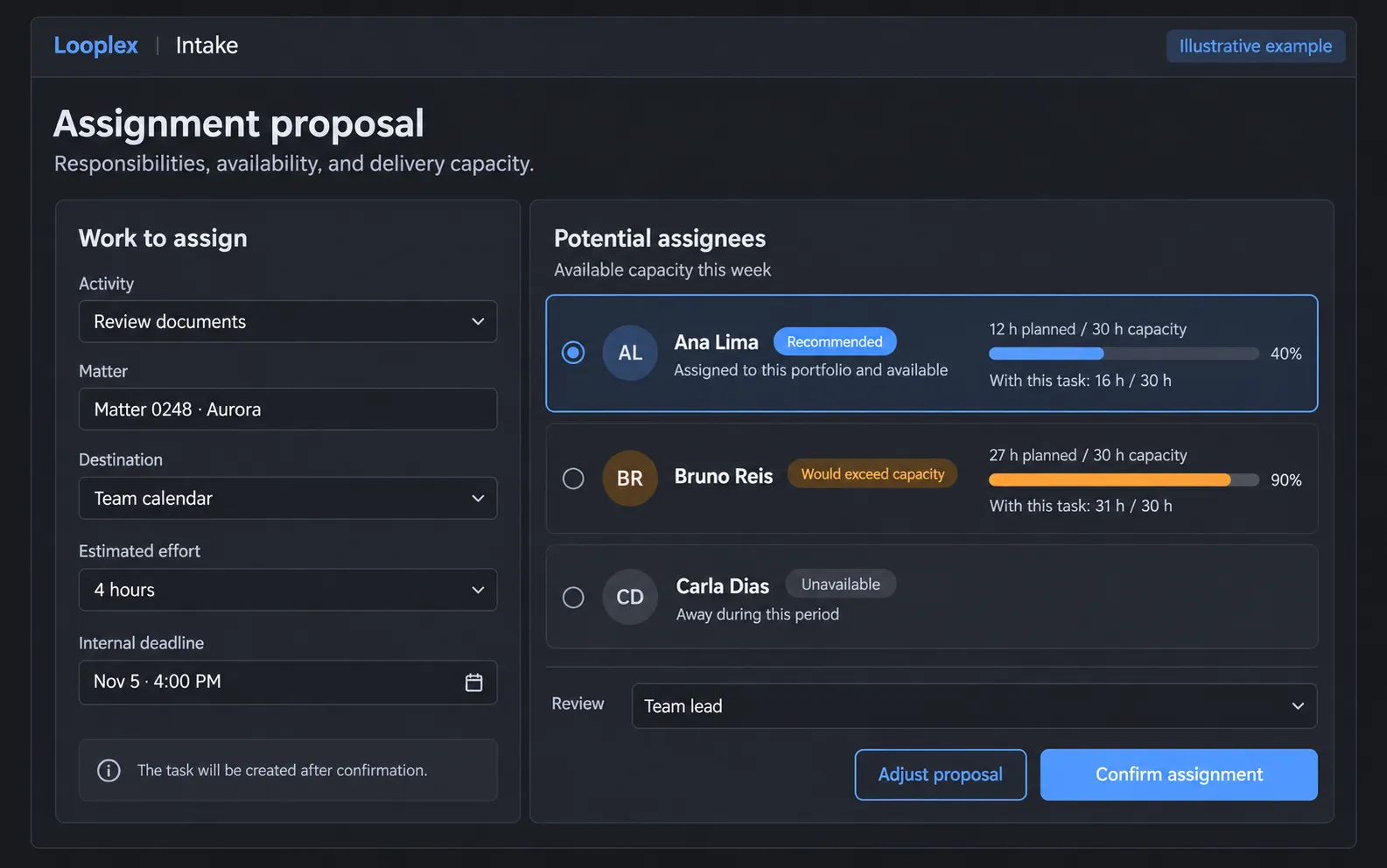
Illustrative capacity-based assignment example: the recommendation considers responsibilities, availability, and estimated effort, with confirmation before assignment. Fictional data.
This assessment depends on up-to-date operational information. The number of tasks or the appointments recorded in a calendar, on their own, may not reflect each professional’s available capacity.
The assignment recommendation can support confirmation by the responsible person or be applied under the workflow’s authorized rules.
Priorities, deadlines, and service levels
Intake helps organize the order in which work is addressed according to available data and organizational policies. Three elements should be considered separately:
| Element | Role in organizing work |
|---|---|
| Legal deadline | The deadline applicable to the action, identified and checked under the relevant legal criteria. |
| Service deadline | A commitment agreed with the client or internally for an activity, which may form part of a service-level agreement — SLA. |
| Operational priority | The order in which work is addressed, based on urgency, impact, and the organization’s other criteria. |
These elements can guide scheduling and assignment, depending on the configuration. Internal dates for preparation, review, and delivery should take into account the deadlines applicable to the action.
Records of receipt, handoff, and completion can also support service-level monitoring and bottleneck identification, depending on the metrics available in the solution.
Missing information and exceptions
Intake rules should address requests that are not yet ready for execution.
A request missing essential documents may need to be supplemented. A situation outside the defined criteria may require specialist assessment. A handoff that depends on authorization must go through the designated person before proceeding.
These treatments form part of the workflow design. The aim is to make clear what is missing, who needs to act, and what condition allows the work to continue.
Example: from incoming information to work
A court communication may follow the path below, depending on the organization’s configuration:
| Participant | Role in the example |
|---|---|
| Monitoring | Captures the communication and makes information related to the matter available. |
| Intelligence | Supports interpretation of the content and suggests actions for review. |
| Intake | Organizes the handoff of the selected action, its priority, and the proposed allocation of responsibilities. |
| Team | Carries out work assigned to people according to the defined responsibilities and deadlines. |
| Assistant | Supports or executes the work when a corresponding execution workflow is enabled. |
| Workbench | Brings together monitoring, clarification, and review of work delegated to Assistant. |
The analysis may indicate that updating the matter’s context is sufficient, that more information is needed, or that one or more work items should be initiated. These outcomes can be combined according to the request.
Playbooks guide the criteria throughout the process. The sequence may vary: a direct request can arrive in Intake, and a professional can initiate or delegate work without going through every stage.
Relationship with other platform capabilities
Monitoring supplies information captured from monitored sources. Intelligence supports the assessment of possible actions. Intake organizes incoming requests and their handoff.
Work assigned to the team is tracked in the calendar or system used by the organization, depending on the available integrations. Workbench centralizes interaction and supervision for work delegated to Assistant.
The usage modes describe how AI participates in these activities. In Copilot, the user leads the interaction. In Autopilot, the platform carries out delegated operations within the authorized scope.
Intake can combine handoffs made by people with automated operations according to the configured workflow.
Availability
Intake is in technical preview for selected customers.
Input channels, integrations, assignment criteria, and assignee recommendation capabilities depend on the organization’s plan, enabled scope, and configuration.
Feature availability and authorization to apply it automatically are separate conditions. The workflow determines which handoffs require confirmation and which can occur under previously authorized rules.